Pages

Sunday, September 13, 2015

Convert python 2.7 code into Python 3.4 code

Convert python 2.7 into Python 3.4

Hello and welcome in this tutorial im going to teach you cool trick.how to convert the python 2 script in to python 3 script it is easy.
here is the step im going to do
create new folder in desktop
then save my python 2.7 file in that folder
then select the folder that i created before and press shift and then press right click it will ask for open command prompt here select it and boom then it will open the command prompt
 after that you have to type like this
python C:/Python/Tools/scripts/2to3.py then your file name
ex:-
python C:/Python/Tools/scripts/2to3.py mypythonfile.py

then press enter then it will show you the points you need to change [-] mark will represent the changes you wanna do.
or you can make the changes automatically you can type -w before your file name then it will automatically fix the errors for you

python C:/Python/Tools/scripts/2to3.py -w myfile.py

here is my python 2.7 file  
i saved in new folder in desktop
Press Shift and press right click to open command prompt in that folder

check corrections


errors are marked


Errors are fixed using -w command


Errors are fixed now


lets see the new changed code

Lets run the code and see the result


Monday, September 7, 2015

How to uninstall Django completely

pip uninstall

in this tutorial im going to teach you how to uninstall Django from your computer completely

open command prompt and type
pip uninstall django

this command completely remove django from your computer

How to uninstall Django version and install specific version

pip install package==version

in this tutorial im going to teach you.small tip how to install specific  version using pip install

first you 
you have to type
pip install package_name==version number
as example pip install django==1.6.5
that's it it will install the specific version


to check the version of the django you can open python shell and type
print(django.get_version())


Sunday, September 6, 2015

How to install sqlite3 on windows computer

Install sqlite3 on windows 10

when you are try to work with django .you need to have database sqlite3 is simple light weight database .you can check if your computer already have sqlite3 or not.
 open command prompt and type sqlite3

 if it shows error massage then you can go to sqlite3 website and download precompiled Binaries  and dll file and download the two zip file and unzip it.

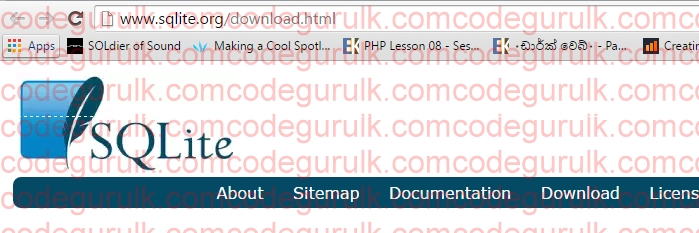
 sqlite download page
precompiled binaries for  windows

 unzip files

inside ziped dll files

 copy all 3 files in to system 32 folder
 and copy both files and past in your computer system 32 folder 
thats it now open command prompt again and type sqlite3 it will show message like this now you have sqlite3

How to check how many python packages install in computer

pip freeze

hi there in this tutorial im going to teach you some small tip to check how many python framework installed on your computer

open your command prompt and type
pip freeze
 hit enter
it will show how many python frameworks are installed in your computer


How to install Django on windows Lesson 1

pip install Django

Hello there today i'm going to start new tutorial seris about python web framework called Django. most of major websites are created using Django as example pinterest.com,Disqus,Bitbucket
today we are going to start our first step.
lets install django on our windows machine

open command prompt and type pip install django it will automatically install the django and its dependencies


Friday, September 4, 2015

Python For Beginners Lesson 4 Numbers

Python Numbers

hi in this tutorial im going to teach you about numbers in python
go to start menu and type python and then you can see python IDLE its built in python editor
it can identify python data type and variables automatically.in python IDLE
type

5+5 then enter it will give out put as 10


 and also you can multiple numbers
type 20*5 it will give 100


if you type 6+4*10 it will give output as 46 but why its not 100 because it follows basic maths order
it consider maths functions as this order  (),/,*,+,-


and also you can divide numbers 19/5
answer is 3.8

 if 19//5 it will give rounded value and it will drop the decimal point

if you want remainder you have to use % mark
like 19%5 it will give remaining value 4

you can get power  or exponent like this 10*10*10 
or even get the same result easily using ** mark 

or even you can assign variable and values and add them together
sam=20
madu=10
sam+madu answer is 30

i hope you have learn something from this tutorial if you have any question please leave a comment below
have a good day